Resolving to be a better designer
I have a few resolutions for 2021 and one of them is improving my UI design skills.
Partly, this is for my career. As a front-end developer, I typically work closely with designers and my job often involves extrapolating from other people’s design work. I want to make sure that I’m always being empathetic to the designer’s goals and showing attention to detail. When designing things on my own, especially when I expect to add the project to my portfolio, I also want to make sure my interfaces represent me well as a front-end developer.
But design is also fun! In my opinion, anyway. My college degree is partly in web design and there was a time when I considered specializing more in that direction. This year I’d like to create more web projects whose designs embrace the colorful, playful side of the internet, and I want to approach them with care.
Refactoring UI
So how to work on my design skills? I decided to start with a book that I’ve seen praised more than once among developers online: Refactoring UI by Adam Wathan and Steve Schoger (who both work on Tailwind CSS). This book is meant specifically for developers who are trying to create interfaces without the help of a dedicated designer.
It’s also… pretty expensive, if you don’t have the benefit of an educational budget from your employer. So I went into the book thinking that it better be mind-blowing. In reality: it wasn’t, but surprisingly, that’s what I loved about it. Everything they discussed seemed really obvious once they explained it. I just hadn’t thought about all those details so intentionally all at once.
Redesigning BirthdayBot (the front-end, anyway)
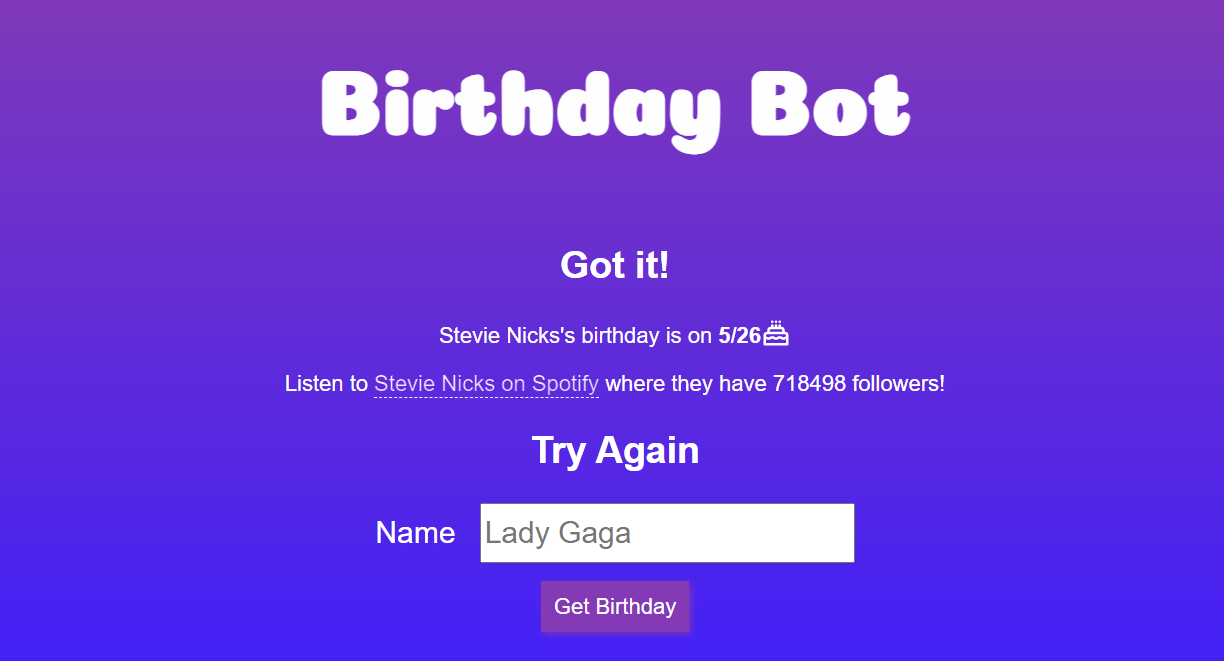
Next, I needed a project to apply these concepts too, and it seemed best to start by revisiting something that already exists instead of trying to make something from scratch. Out of the projects I already had in my portfolio, it was clear to me that BirthdayBot was most in need of some UI design help. BirthdayBot was originally an idea I had for a Slack bot that could pull key details about famous musicians (for use in a music-themed slack channel) on request. Instead, it got reworked into a little web app so that I could have an excuse to play around with Node and a templating language like Handlebars. And then in the end I slapped some fonts and colors on it and it was done–not exactly designed with care.
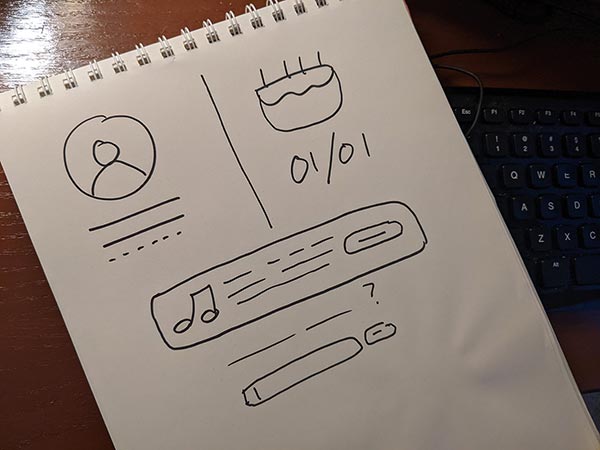
At the book’s suggestion, I resisted the urge to think about the overall layout first and instead zeroed in on some specific features. I then drew a rough concept on paper of how I could lay them out.
A Technical Interlude
It’s good to be cautious about taking on too much at once in any project so I wasn’t looking to do a total redesign of BirthdayBot from back to front. But while I was redesigning my front-end anyway, there were a few new things I wanted to add to the project.
Firstly, this seemed like the perfect opportunity to check out Tailwind CSS! I’ve worked with utility class-based CSS on several different projects (and generally have positive opinions of it) but I’d only done it with Bootstrap or custom CSS frameworks. Tailwind didn’t end up being much different and I picked it up quickly.
Even working with PostCSS instead of my usual Sass was pretty painless. That part of Tailwind had confused me a bit until I actually started setting it up. I set up PostCSS with plugins like postcss-nested, which allows for Sass-style nesting of selectors, and in the end I was writing code that was more or less the same that I’m used to writing with Sass anyway. And generally speaking, I’d already been using PostCSS on a lot of projects anyway via the autoprefixer plugin so there was nothing to be afraid of.
Another thing I wanted to do with a BirthdayBot redesign is get myself a little more content to work with. When you do a search on BirthdayBot, it first goes to the WikiData API to get information about the person you searched for, and if WikiData knows that that person has music on Spotify, then the app uses the Spotify API to get some information about their music. In the original design, I was really only grabbing the person’s birthday, Spotify URL, and followers. This time, I looked more closely at the data I had available and am also grabbing a description about the person from WikiData and a photo of them from Spotify (where available).
Putting it in practice
Once I was set up to work with Tailwind, I started working through BirthdayBot piece by piece. I brought in some big icons from IconMonstr, some background colors to better separate sections of content, and kept the purple color scheme but ditched the gradient.
Some helpful advice I took from Refactoring UI included things like:
Giving things a lot of space and then scaling back the space until it feels right
Using font weight and color to indicate importance or hierarchy even more than size
Using subtle patterns (like I have for BirthdayBot’s background) and strips of color (like the light border on the top of BirthdayBot) to add some visual interest
Tailwind helped too–using the colors and spacing that ships with Tailwind gave some structure to this site that is a bit too small to justify having its own custom design system.
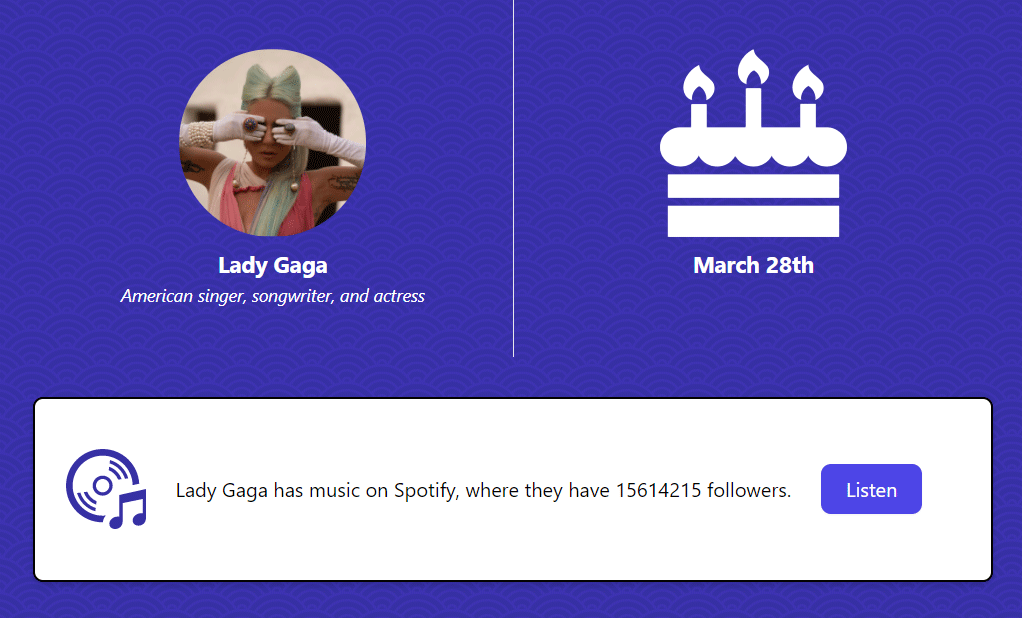
I love how the redesigned BirthdayBot, despite having only a couple pieces of new content compared to the old one, feels more substantial. At the same time, it does a better job of drawing your eye to the information that’s actually important.
In Conclusion
I thought that Refactoring UI was a great book to start getting me thinking more carefully about design, and Tailwind is a framework I’d be curious to try out on a larger project. And I’m proud of the new BirthdayBot!